Image to Sprite Sheet: AI Pixel Sprite Generator
Upload one character image and get a transparent pixel sprite sheet and a looping GIF in about a minute.
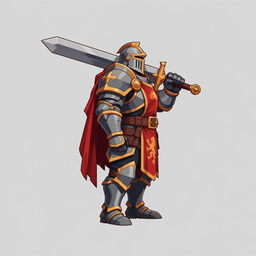
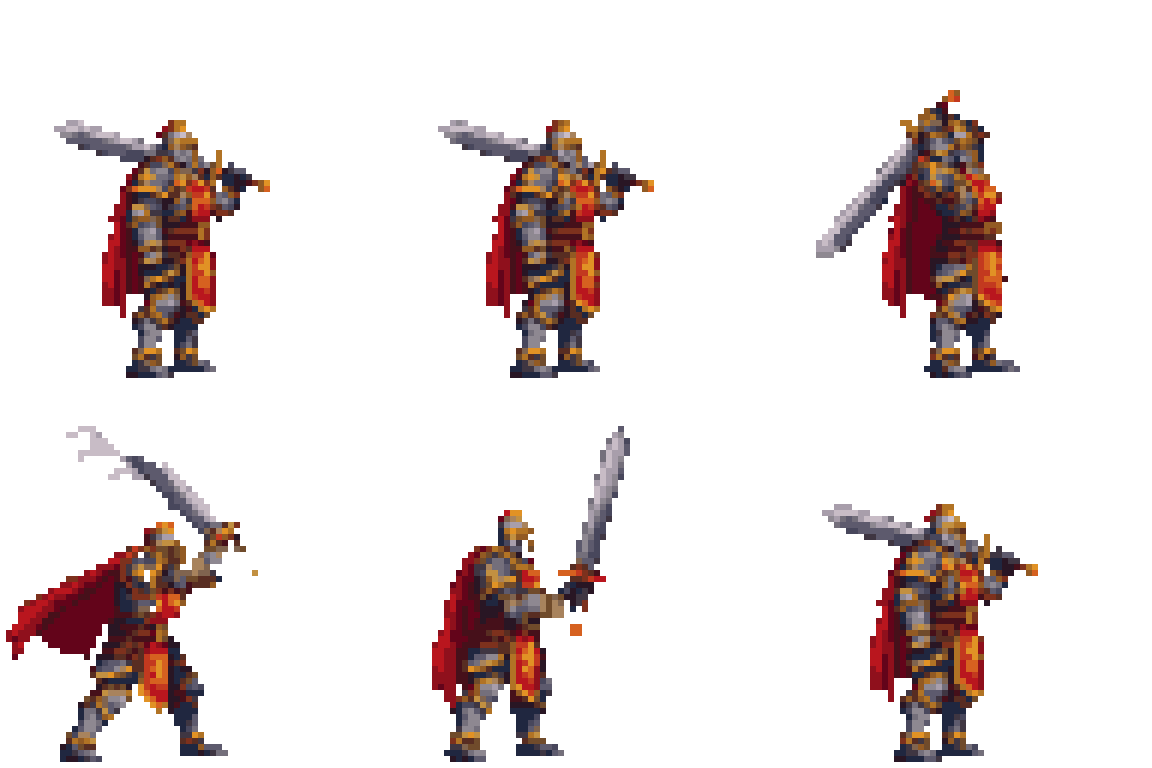
- 8 frames · 10 fps
- 32–128 px
- 1 credit from $2.99
- No subscription
From one image to a finished sheet
Most sprite sheet tools pack frames you already drew. Loopixel makes the frames.
Step 1
Upload any image
A character, an item, a spell effect. Painted, 3D or already pixel art.
Step 2
Check the pixel still
In about 12 seconds you get a transparent pixel version. Happy with it? Confirm, or try again.

Step 3
Pick an action, get the loop
One action, or a 4-direction walk cycle, in about a minute. Preview it looping, then unlock PNG, GIF and ZIP.
Redraw the still for free up to 2 more times (3 tries in total). The animation is 8 frames on a fixed square grid, in five sizes: 32, 48, 64, 96 and 128 px (64 px by default).
This is not a sprite sheet packer
A packer or “images to sprite sheet” tool takes frames you already have and tiles them into one image. You still need to draw or generate every frame first. Loopixel starts earlier: you give it one image and it creates the walk, idle, run, attack, fire, jump, item or effect frames.
Because the animation is built from a pixel still you confirmed, the outline, proportions and palette stay the same from frame to frame. The palette is locked to at most 24 colours.
What you download
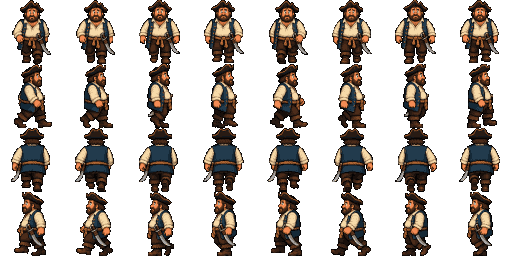
- Sprite sheet PNG1 row × 8 frames, in 32, 48, 64, 96 and 128 px per frame, transparent background
- Transparent GIFThe loop, ready to preview or share
- frames_{size}/Every frame as its own PNG, per size
- atlas_{size}.jsonFrame rectangles for engine importers, per size
- ZIPAll of the above in one file
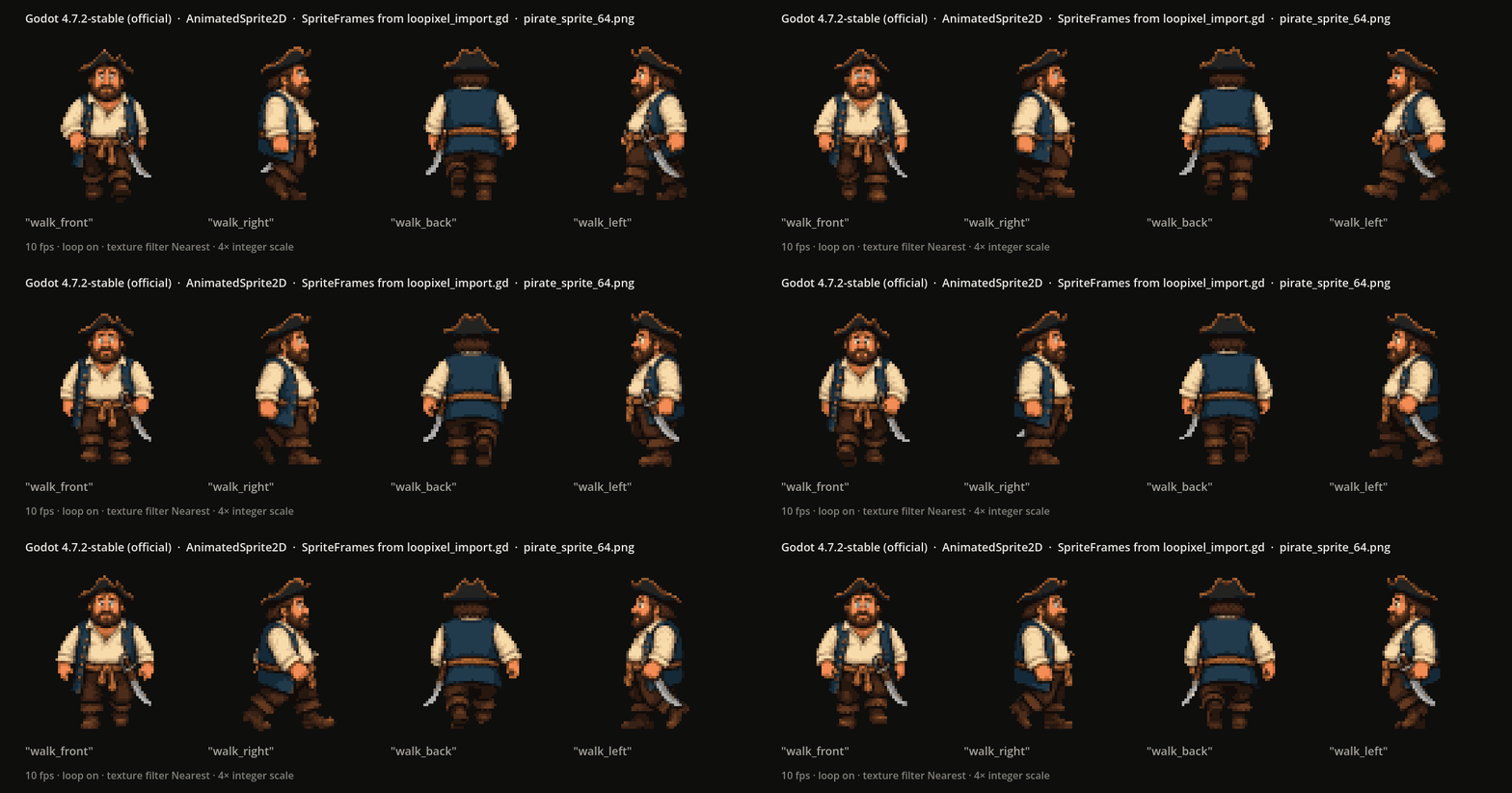
Pay once. Credits never expire.
1 credit = 1 animation, in one direction or as a 4-direction walk cycle.
Try
$2.99once
3 credits
$1.00 per credit
Test it on your own characters before a jam.
Indie
Save 50%$9.99once
20 credits
$0.50 per credit
A small cast: idle, run and attack loops, plus 4-direction walk cycles.
Studio
Save 58%$24.99once
60 credits
$0.42 per credit
For a whole game’s worth of characters, items and effects.
Not sure yet? Sign in with Google to get 2 free previews.
Sign in with Google- Commercial use included: unlocked files can ship in paid games. Terms
- Buy signs you in with Google first, then opens Stripe checkout.
Image to sprite sheet questions
How do I turn a single character drawing into a sprite sheet?
Upload one PNG, JPG or WebP (up to 8 MB). Loopixel makes a transparent pixel still in about 12 seconds. When you confirm it, it builds the looping animation in about a minute and gives you a PNG sprite sheet, a transparent GIF and a ZIP.
Do I have to draw the frames myself first?
No. Sprite sheet packers need you to supply every frame. Loopixel starts from one image and creates the frames for you: 8 frames per row, on a fixed square grid.
Can I use ChatGPT, Midjourney or 3D render art as the input?
Yes. Any image works: painted art, a 3D render, a photo of a toy or existing pixel art. A single subject on a plain background gives the cleanest result.
What size are the frames?
Every frame is a fixed square, and every ZIP holds all five sizes: 32, 48, 64, 96 and 128 px (64 px by default). A single-direction sheet is 1 row of 8 frames. One palette of at most 24 colours is locked across every frame.
What if I don’t like the pixel still?
You can redraw it for free up to 2 more times (3 tries in total). The credit is charged when you start, and the redraws are included.
How much does one sprite sheet cost?
1 credit. Packs are $2.99 for 3 credits, $9.99 for 20 and $24.99 for 60, paid once. New Google accounts also get 2 free previews.
Related tools and guides
- 4-direction sprite sheet
- RPG Maker sprite generator
- PixelLab alternative
- Ludo.ai alternative
- No-subscription sprite generator
- Facts and comparison
- Godot sprite sheet
- Unity sprite sheet
- Aseprite sprite sheet
- Pixel art walk cycle
- GameMaker sprite sheet
- Pixel art animation generator
- GIF to sprite sheet converter
- Sprite sheet to GIF converter
- Sprite sheet guides