Unity Sprite Sheet: Slice Pixel Art on a Grid
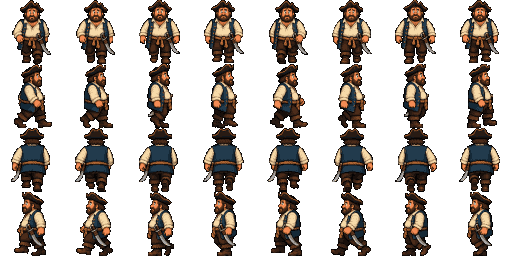
One image becomes an 8-frame pixel walk sheet that slices on a grid in Unity’s Sprite Editor.
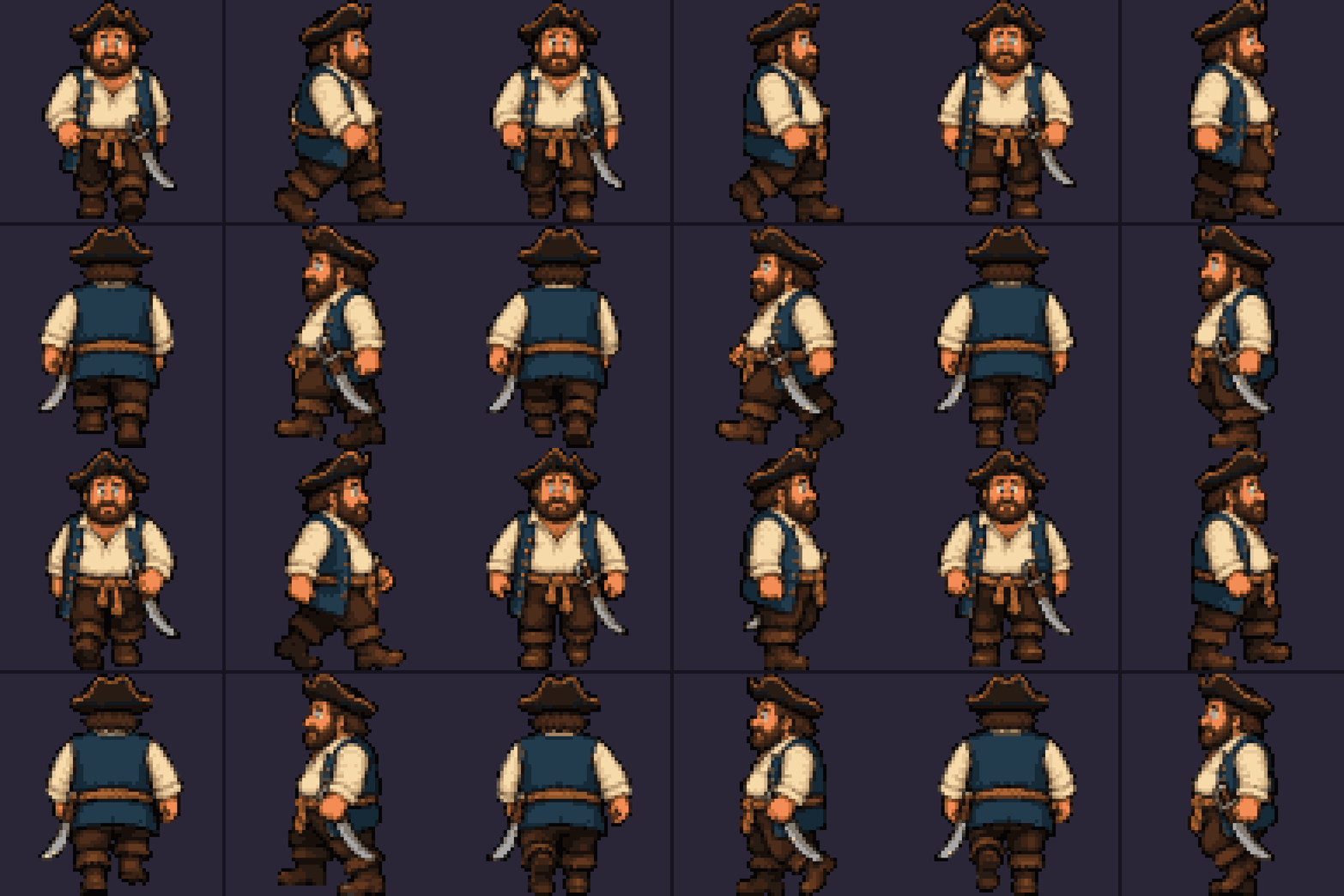
- 8 frames · 10 fps
- 32–128 px square frames
- No padding
- 1 credit from $2.99
Import and slice the sheet in Unity
Loopixel frames are fixed squares in straight rows, so a grid slice cuts them exactly. The values below follow Unity’s manual.
1. Import settings
- Unzip the Loopixel download and drag sprite_64.png into your Unity project’s Assets folder (use sprite_48.png, sprite_96.png and so on if you want another frame size).
- Select the PNG in the Project window. In the Inspector set Texture Type to Sprite (2D and UI) and Sprite Mode to Multiple.
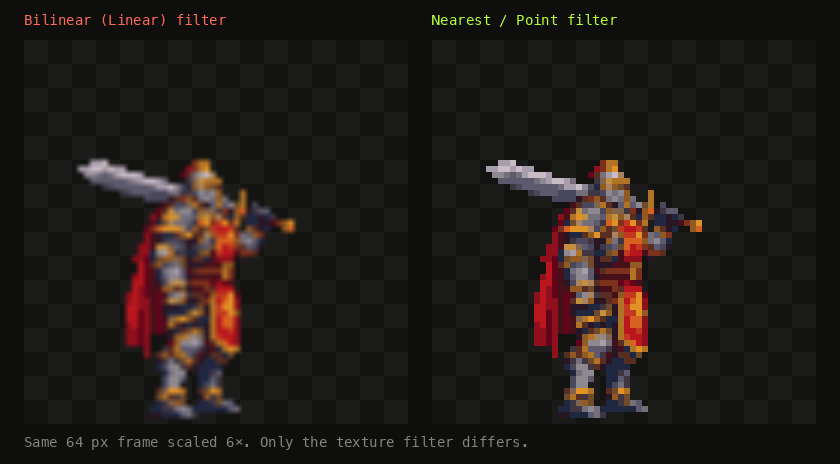
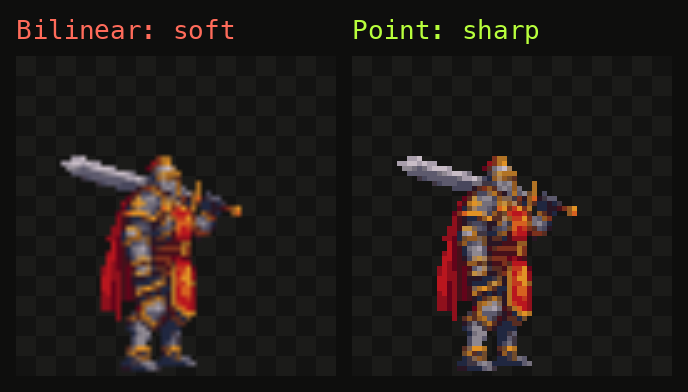
- Set Filter Mode to Point (no filter) so the pixels stay sharp instead of blurring.
- Set Pixels Per Unit to the frame size, for example 64 for sprite_64.png, so one frame is one world unit.
- Click Apply at the bottom of the Inspector to save these import settings.
2. Slice in the Sprite Editor
- With the PNG still selected, open the Sprite Editor from the Inspector.
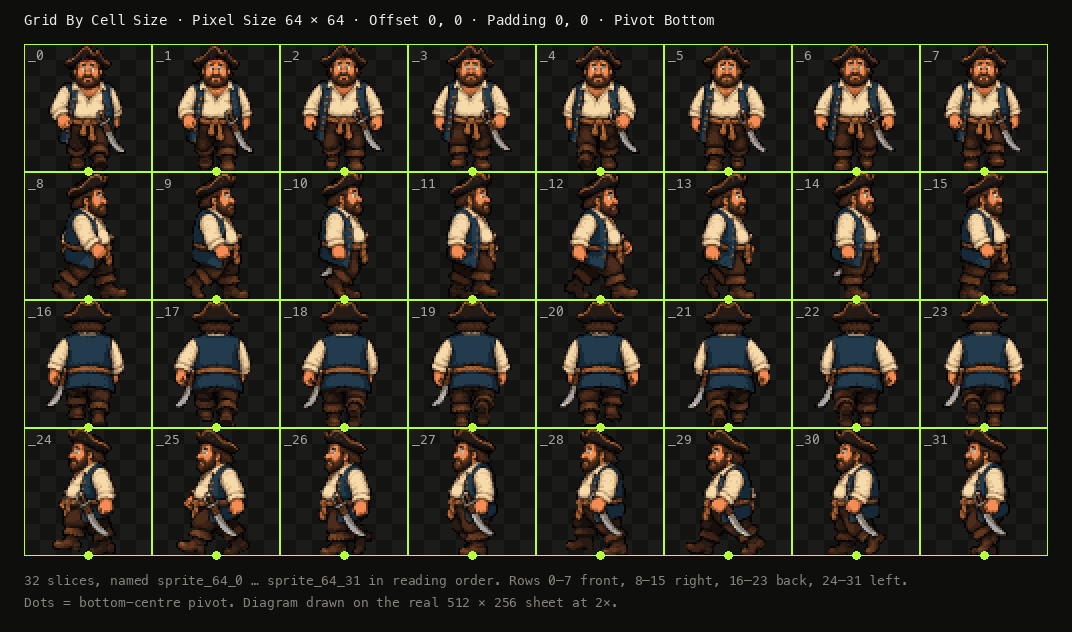
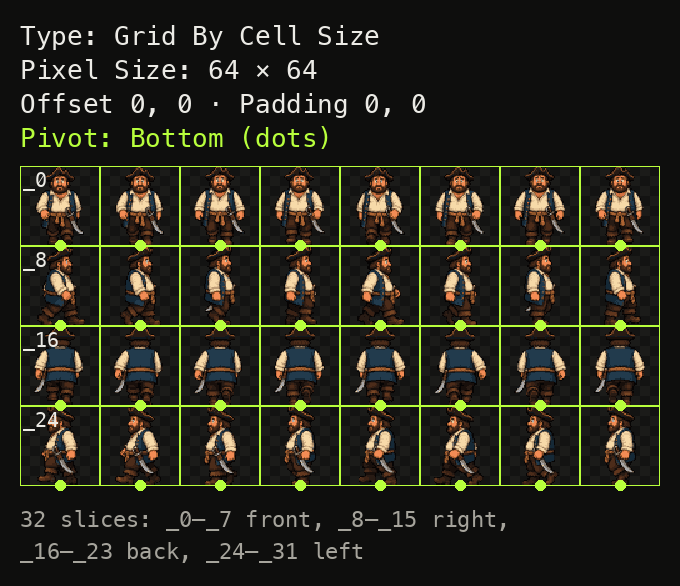
- In the Sprite Editor toolbar open the Slice dropdown and set Type to Grid By Cell Size.
- Set Pixel Size to 64 × 64 (or your frame size). Leave Offset and Padding at 0, because Loopixel frames have no gaps or margins.
- Click Slice, check that the grid sits on the frames (compare with the diagram below), then click Apply in the toolbar to save the sprites.
3. Make an animation clip from the sprites
- Expand the PNG in the Project window. After Apply the PNG holds one sprite per cell. A 1-row sheet has 8 sprites that make up the loop; a 4-row sheet has 32, in rows of 8 that run front, right, back, left from the top.
- Select a GameObject in your scene (for example one with a SpriteRenderer) and open Window > Animation > Animation.
- Click Create, name the clip (for example Walk) and save it in Assets. Unity creates an Animator Controller and an Animator component for you.
- Add the 8 sprites of one row to the clip as keyframes, in order, and set the clip’s frame rate to 10 to match the Loopixel preview. Each direction of a 4-direction sheet becomes its own clip.
- Press play in the Animation window to check that the 8 frames loop smoothly.
Step 13: the 8 sprites of the right-facing row (sprite_64_8 to sprite_64_15), in keyframe order, timed at 10 fps
- #80 ms
- #9100 ms
- #10200 ms
- #11300 ms
- #12400 ms
- #13500 ms
- #14600 ms
- #15700 ms
The same 8 frames at three clip frame rates. Loopixel previews at 10, so set the clip to 10 to see the loop you approved on the website.
Unity’s manual covers the Animation window in more detail; this page sticks to what the Loopixel files change: the grid size and the 10 fps.
Loopixel file ↔ Unity setting
What to enter for each part of the sheet.
| Loopixel | Unity |
|---|---|
| sprite_64.png | Texture, Sprite Mode: Multiple |
| Frame size | Pixel Size 64 × 64 (48, 96 and so on for other sizes) |
| No padding, no offset, no rotation | Offset 0, Padding 0 |
| 8 frames per row | 8 sub-sprites per row after Slice |
| 10 fps loop | Clip frame rate 10 |
The same sheet in a running engine
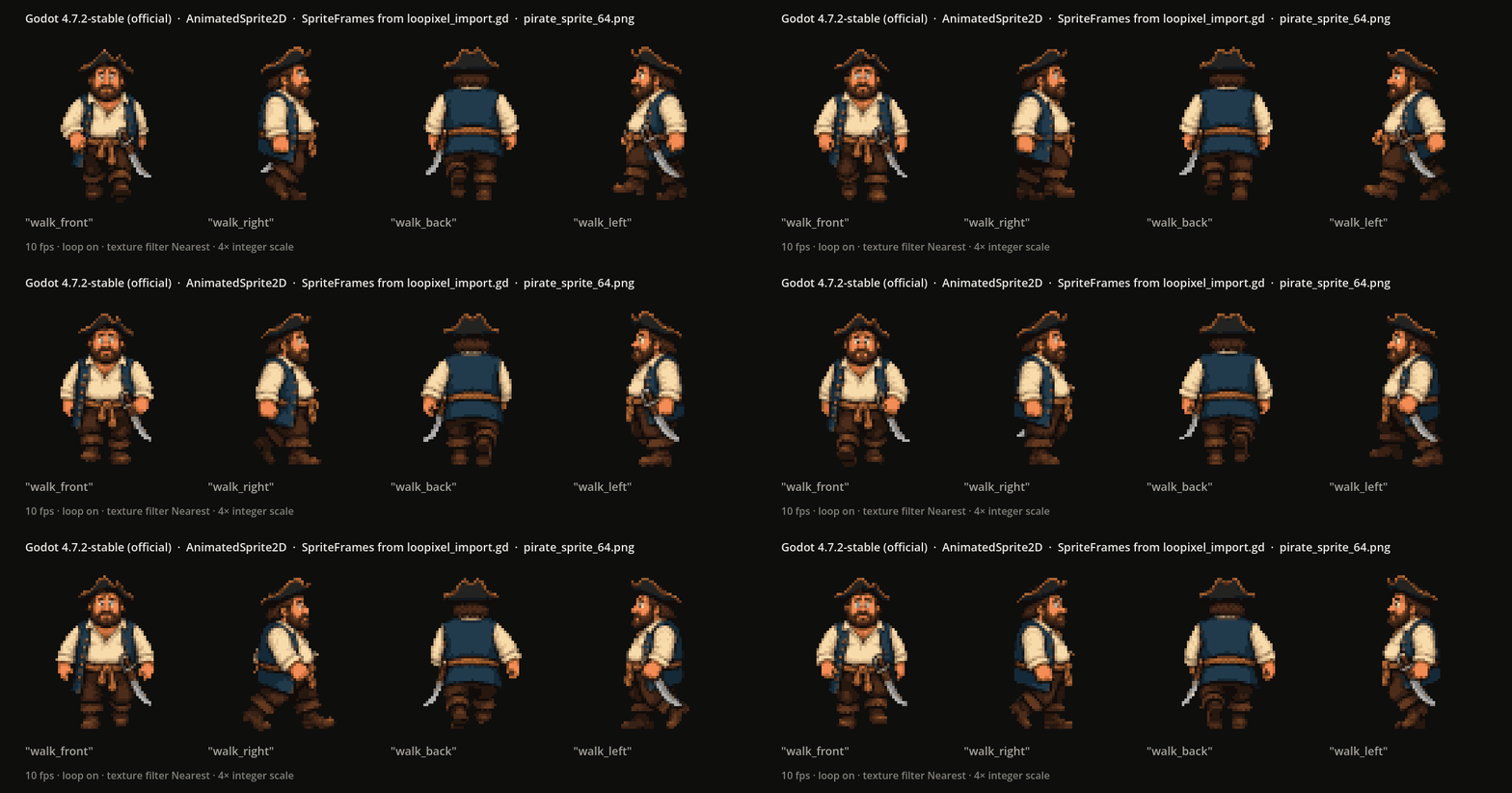
This capture is from Godot 4.7.2, not Unity. It shows the exact 64 px sheet from this page cut on the same 64 × 64 grid and looping at 10 fps.
Good to know
- There is no Unity plugin. You slice the PNG with Unity’s own Sprite Editor.
- The ZIP also holds atlas_64.json (a TexturePacker-style array). A grid slice does not need it.
- Prefer separate files? frames_64/ has each frame as a transparent PNG (main_00.png to main_07.png; a 4-direction ZIP uses front_00.png to left_07.png).
- 4-direction mode makes walk cycles only, as 4 rows of 8 frames. There is no 8-direction mode.
- Any action slices the same way: only the number of rows changes.
What it costs
1 credit = 1 animation (one direction or a 4-direction walk). 3 credits for $2.99, paid once, never expire. See all credit packs.
Unity sprite sheet questions
How do I slice a sprite sheet in Unity?
Select the PNG, set Texture Type to Sprite (2D and UI) and Sprite Mode to Multiple, open the Sprite Editor, choose Slice > Type > Grid By Cell Size, set Pixel Size to 64 × 64 for a 64 px Loopixel sheet, click Slice, then Apply.
What cell size do I use for a Loopixel sprite sheet?
The frame size in the file name: 64 for sprite_64.png, 48 for sprite_48.png, and so on. Frames are fixed squares with no padding and no offset, so leave Offset and Padding at 0. A sheet is 8 frames wide.
How do I stop pixel art looking blurry in Unity?
Set Filter Mode to Point (no filter) in the texture’s import settings. Setting Pixels Per Unit to your frame size (for example 64) makes one frame equal one world unit.
Can Unity read the atlas JSON from Loopixel?
You do not need it: slicing by grid is enough, because every frame is a fixed square. The JSON is a TexturePacker-style array for people writing their own importer.
Is there a Loopixel plugin for Unity?
No. There is no Unity, Godot or Aseprite plugin. You download a ZIP from the website and slice the PNG with Unity’s Sprite Editor.
How much does a Unity sprite sheet from Loopixel cost?
1 credit per animation: 3 credits for $2.99, 20 for $9.99 or 60 for $24.99, paid once. 4-direction walk cycles cost the same 1 credit. New Google accounts get 2 free previews.
Related tools and guides
- Image to sprite sheet
- 4-direction sprite sheet
- RPG Maker sprite generator
- PixelLab alternative
- Ludo.ai alternative
- No-subscription sprite generator
- Facts and comparison
- Godot sprite sheet
- Aseprite sprite sheet
- Pixel art walk cycle
- GameMaker sprite sheet
- Pixel art animation generator
- GIF to sprite sheet converter
- Sprite sheet to GIF converter
- Sprite sheet guides