Sprite Sheet to GIF Converter
Drop a sprite sheet PNG, set the frame size and speed, and download a looping GIF. It runs in your browser, so the file is never uploaded.
- Free, no sign-up
- Transparency kept
- Live preview
- Up to 6× enlarge
How to turn a sprite sheet into a GIF
Five steps, about a minute. Or press the sample button to see it work first.
- Drop your PNG sprite sheet on the tool, or click it and choose a file. Up to 20 MB. Nothing is uploaded: it is read in your browser.
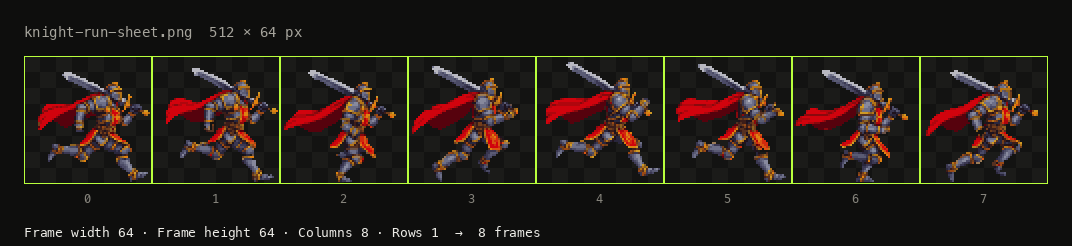
- Enter the frame width and height. The tool starts with a guess: square cells if the sheet is a single row or column of squares. You can also type the number of columns and rows instead.
- Set the speed in frames per second (10 is a common start) and an enlarge value. The preview plays as you change them.
- Choose Keep transparency, or fill the background with a colour.
- Click Download GIF. The file is built on your computer and saved as a looping GIF.

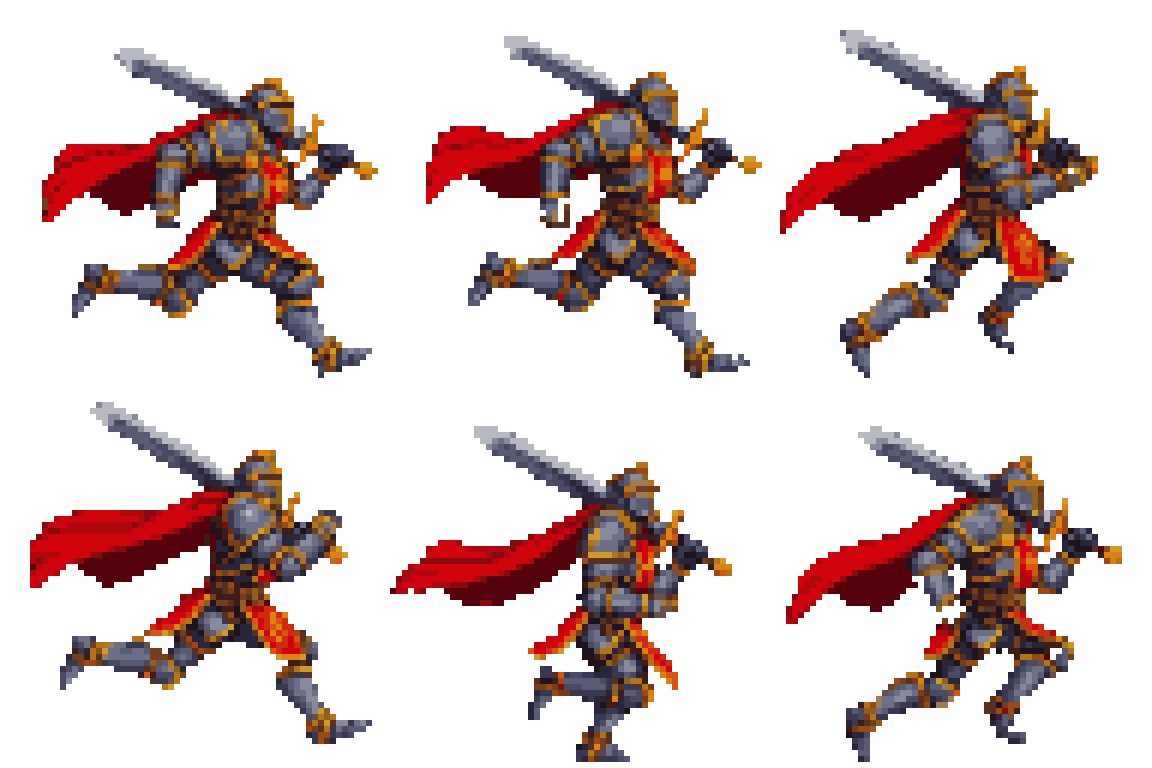
Setting the grid
The green boxes are the cells the tool cuts out. Each one is one frame, read left to right.
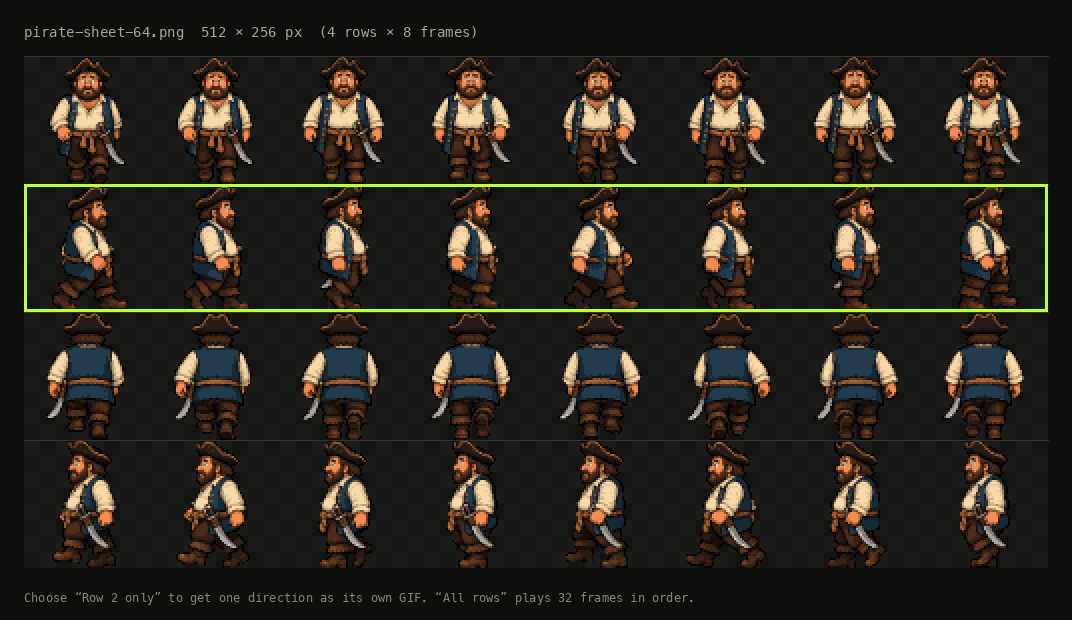
A sheet with several rows works the same way. Pick one row to get that row on its own, for example a single walking direction.
All the options
| Option | What it does |
|---|---|
| Frame width and height | The size of one cell, in the sheet’s own pixels. 512 × 64 with 64 × 64 cells is 8 frames |
| Columns and rows | Another way to enter the grid: the tool divides the sheet size by them to get the cell size |
| Spacing between frames | For sheets with a gap between cells (not around the edge). 0 for most sheets |
| Frames to use | Stop early, for example when the last cells of the grid are empty |
| Which rows | On a sheet with more than one row: all rows in order, or a single row such as one direction |
| Enlarge 1×, 2×, 4×, 6× | Nearest-neighbour, so pixels stay sharp. 64 px frames at 6× make a 384 px GIF |
| Keep transparency / fill | Pixels less than half opaque become transparent, or take the fill colour |
What to know about GIF output
- GIF stores each delay in hundredths of a second, so some speeds round: 10 fps is exact, 12 fps plays at 12.5 fps. The tool shows the stored value under the speed field.
- A GIF holds up to 256 colours, one of them used for transparency. Pixel art sheets usually fit exactly; if yours has more, the tool approximates and tells you.
- GIF transparency is on or off, so soft, semi-transparent edges in the PNG turn hard.
- The GIF loops forever. Every frame is stored in full, which keeps transparent animations clean at the cost of a slightly larger file.
Other directions
Sheets and GIFs go both ways, and engines import sheets directly.
Have a GIF and need a sheet? Use the GIF to sprite sheet converter. Importing a sheet into an engine is covered in the Godot, Unity, GameMaker and Aseprite guides.
No sheet yet?
Start from one image instead.
Sprite sheet to GIF questions
How do I convert a sprite sheet to a GIF?
Drop the PNG onto the tool above, enter the frame width and height (or the number of columns and rows), pick a speed, check the live preview and click Download GIF. The tool cuts the sheet into a grid and plays the cells left to right, top to bottom.
Is my sprite sheet uploaded anywhere?
No. The sheet is read and the GIF is encoded in your browser. No request sends your file anywhere; you can check this in your browser’s network panel.
Can the GIF be transparent?
Yes. Keep transparency is on by default. GIF transparency is on or off, so any pixel that is less than half opaque becomes transparent and the rest stay opaque. Or fill the background with a colour instead.
How is the speed stored?
A GIF stores each frame delay in hundredths of a second, so 10 fps (10 hundredths) plays at exactly 10 fps, while 12 fps rounds to 8 hundredths, which plays at 12.5 fps. The tool shows the stored value and the speed it plays at.
What if my sheet has more than one row?
The grid is read row by row. Choose All rows to play every row one after another, or one row only, for example a single direction of a 4-direction walk sheet.
Why does the GIF look different from my PNG?
GIF holds at most 256 colours, one of them reserved for transparency. Pixel art sheets usually fit exactly. If yours has more, the tool approximates the colours and tells you. Enlarging uses nearest-neighbour, so pixels stay sharp.
Related tools and guides
- Image to sprite sheet
- 4-direction sprite sheet
- RPG Maker sprite generator
- PixelLab alternative
- Ludo.ai alternative
- No-subscription sprite generator
- Facts and comparison
- Godot sprite sheet
- Unity sprite sheet
- Aseprite sprite sheet
- Pixel art walk cycle
- GameMaker sprite sheet
- Pixel art animation generator
- GIF to sprite sheet converter
- Sprite sheet guides