RPG Maker Sprite Generator: 4-Direction Walk Sprites
One image becomes a 4-direction walk, then one command turns it into a 3 × 4 character sheet for RPG Maker MV/MZ.
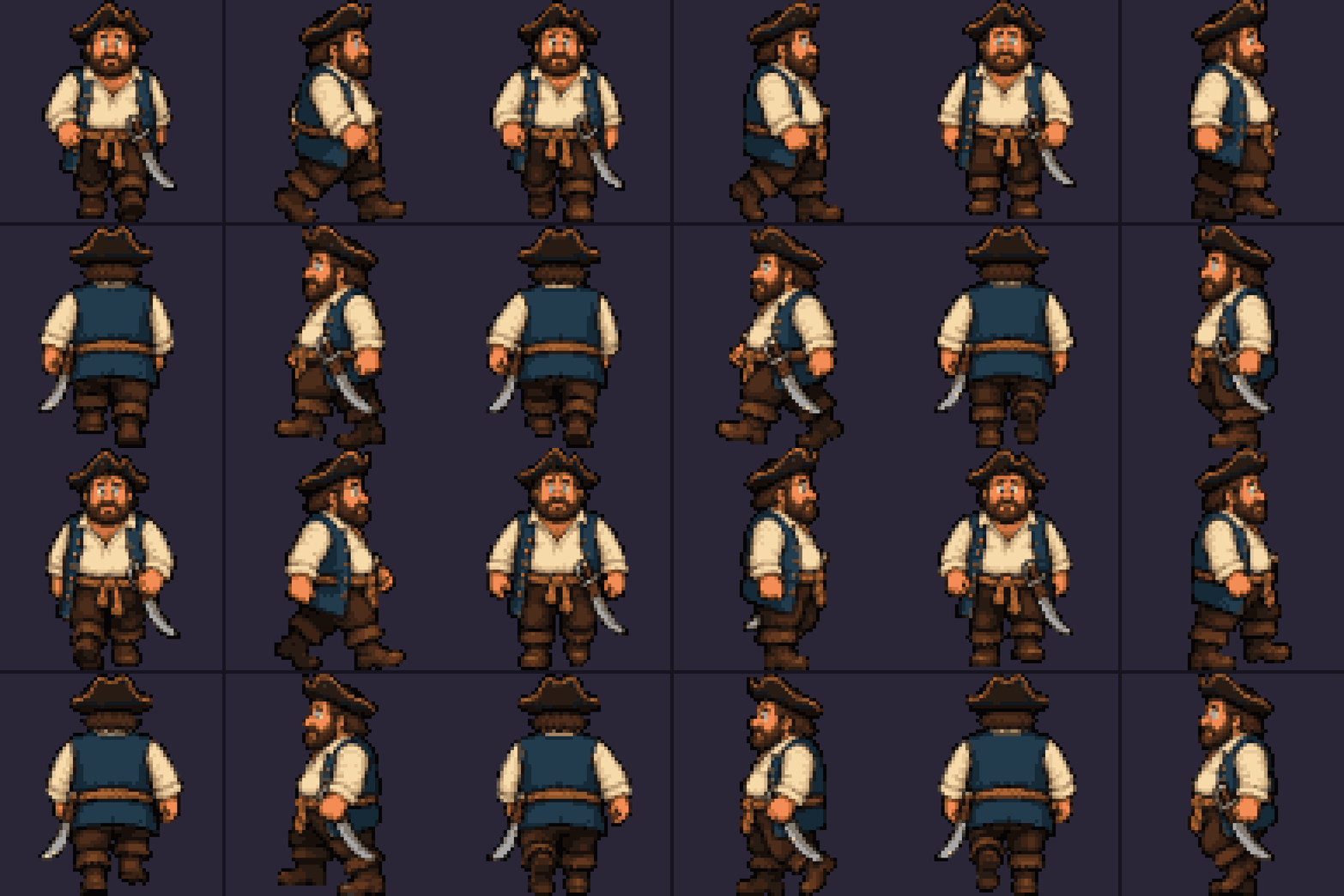
- 4 directions × 8 frames
- 48 px native
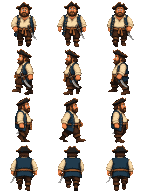
- 144 × 192 px sheet
- 1 credit from $2.99
From one image to a 3 × 4 character sheet
Loopixel makes the 4-direction walk. An open-source script does the RPG Maker layout in one command.
- Make a 4-direction walk on Loopixel and download the ZIP. You need sprite_48.png, the 48 px sheet (4 rows × 8 frames).
- Get loopixel_to_rpgmaker.py from the open-source loopixel-importers repository (MIT). It needs Python 3 and Pillow.
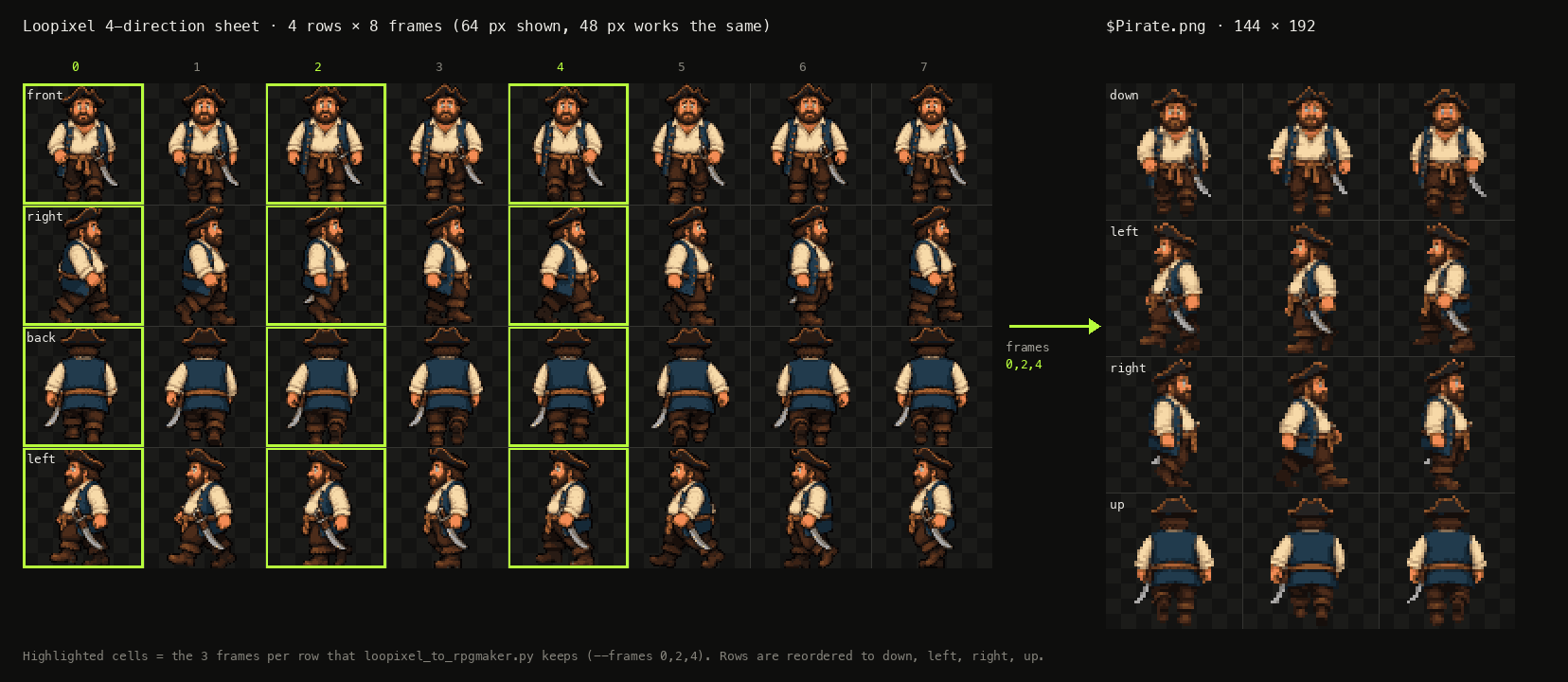
- Run the command below. It picks 3 frames per direction, puts the rows in RPG Maker order (down, left, right, up) and writes a 144 × 192 px, 3 × 4 character sheet.
- Copy the result into your project’s img/characters folder. The file name starts with $, so RPG Maker treats the sheet as a single character.
Terminal
python3 loopixel_to_rpgmaker.py sprite_48.png '$Hero.png' --frames 0,2,4Sheets at other sizes are scaled to 48 px with nearest neighbour, so you can also start from sprite_32.png or sprite_64.png. Use --frames to choose which 3 of the 8 frames go into each row.
Before and after
Left: the Loopixel sheet, 4 rows × 8 frames. Right: the RPG Maker sheet, 3 columns × 4 rows, with the chosen frames highlighted.
Running in the RPG Maker engine
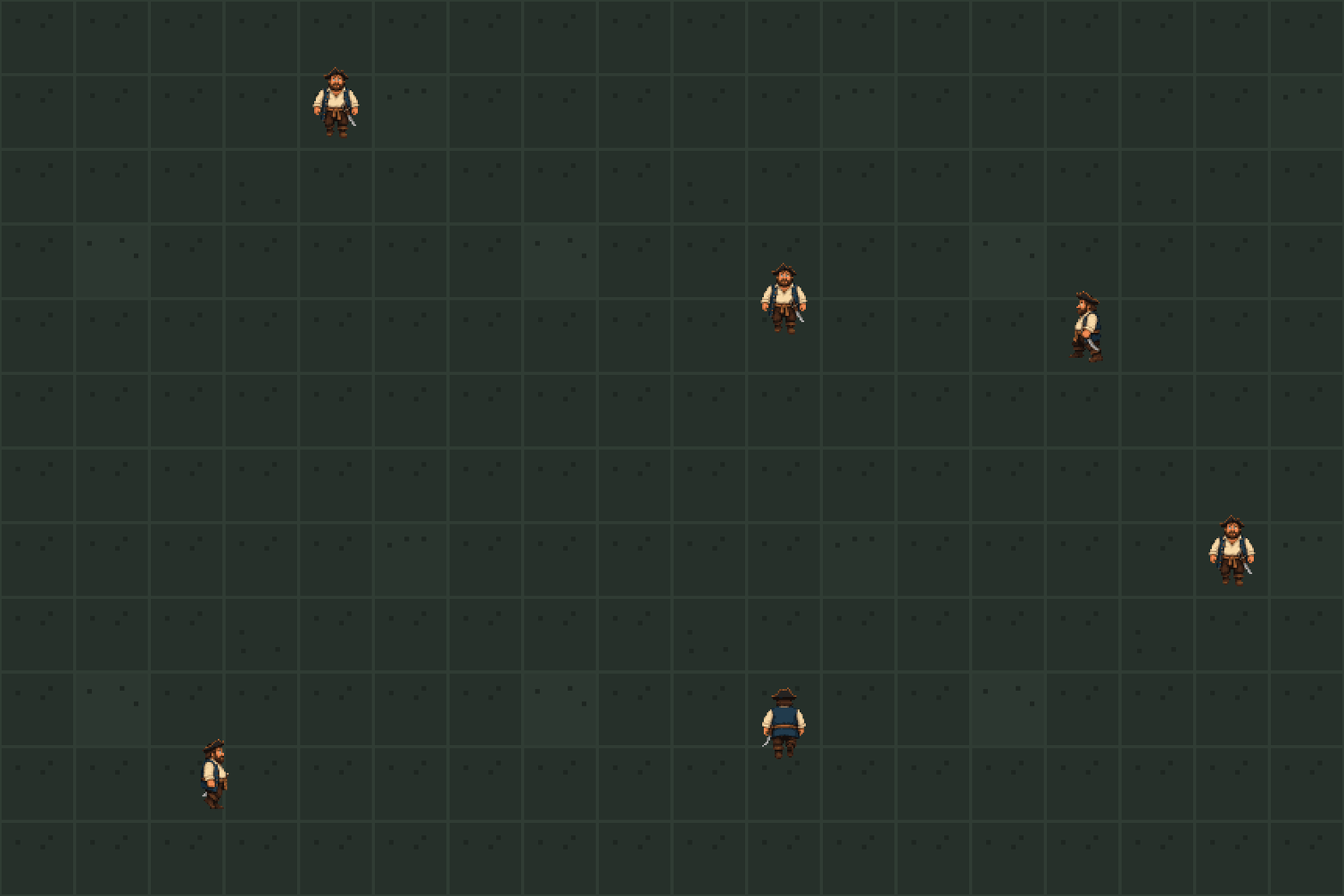
The converted sheet loaded as the player character and walked down, left, right and up on a test map.
What matches RPG Maker
The frame size already fits. The script handles frame count, layout and row order.
| Loopixel 4-direction | RPG Maker MV/MZ character |
|---|---|
| 48 × 48 px frames (32 to 128 px available) | 48 × 48 px frames |
| 8 frames per direction | 3 frames per direction (script picks 3) |
| 4 rows × 8 frames | 3 columns × 4 rows, 144 × 192 px |
| Rows: front, right, back, left | Rows: down, left, right, up |
Or arrange it by hand
Prefer an image editor? The same sheet takes four steps without the script.
- Unzip the download and open frames_48/. These are native 48 × 48 px frames, each its own transparent PNG (or cut sprite_48.png on a 48 px grid).
- For each direction, pick 3 frames that read as a clean step cycle.
- Lay them out in 3 columns × 4 rows. Loopixel’s rows are front, right, back, left; RPG Maker’s are down, left, right, up, so reorder the rows.
- Save the sheet in your project’s img/characters folder, with a file name that starts with $ for a single character.
Good to know
- 4-direction mode makes walk cycles only. Idle, attack and other actions are single-direction.
- A 4-direction walk costs 1 credit, the same as one direction.
- There is no 8-direction mode and no frame size above 128 px.
- A single character on a plain background gives the cleanest result.
- The script picks frames 0, 2 and 4 of each row by default (--frames 0,2,4). Look at the middle column of each row: RPG Maker plays it as the standing pose, so choose a frame that reads as standing still.
What it costs
1 credit = 1 animation (one direction or a 4-direction walk). 3 credits for $2.99, paid once, never expire. See all credit packs.
RPG Maker sprite questions
Does Loopixel output the RPG Maker MV/MZ character format directly?
Not from the website: the ZIP holds native 48 × 48 px frames, 8 per direction. The open-source loopixel_to_rpgmaker.py (MIT, github.com/zane-labs/loopixel-importers) turns sprite_48.png into a 144 × 192 px, 3 × 4 RPG Maker character sheet in one command, reordering the rows to down, left, right, up.
How do I get from a Loopixel sheet to an RPG Maker walk sprite?
Run python3 loopixel_to_rpgmaker.py sprite_48.png '$Hero.png' --frames 0,2,4 and copy the result into img/characters. The --frames option picks which 3 of the 8 frames go into each row (default 0,2,4). The middle column is RPG Maker's standing pose, so check that your middle frame reads as standing still. You can also arrange 3 frames per row by hand in an image editor; Loopixel's rows are front, right, back, left and RPG Maker's are down, left, right, up.
Can I make a 4-direction walk sprite from one image?
Yes. Upload one image in 4-direction mode and get front, right, back and left walk cycles on one sheet for 1 credit, in about a minute.
Does it make idle or attack frames in 4 directions?
Not yet. 4-direction mode makes walk cycles only. Idle, attack, run, jump and other actions are single-direction.
Is there an 8-direction option?
No. Loopixel makes 1 or 4 directions.
Do I need a subscription?
No. Credits are sold in one-time packs from $2.99 and never expire.
Related tools and guides
- Image to sprite sheet
- 4-direction sprite sheet
- PixelLab alternative
- Ludo.ai alternative
- No-subscription sprite generator
- Facts and comparison
- Godot sprite sheet
- Unity sprite sheet
- Aseprite sprite sheet
- Pixel art walk cycle
- GameMaker sprite sheet
- Pixel art animation generator
- GIF to sprite sheet converter
- Sprite sheet to GIF converter
- Sprite sheet guides